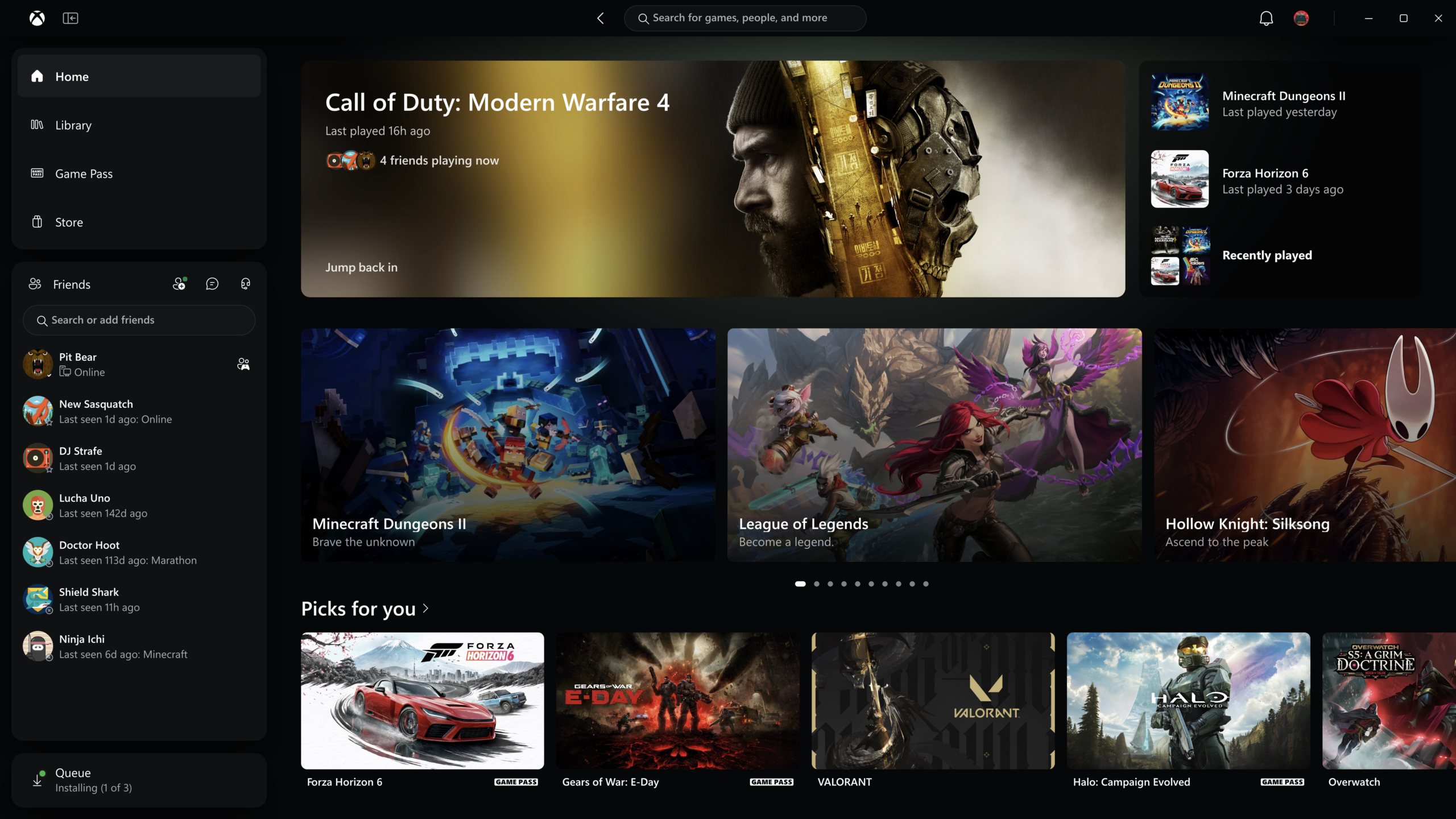
Microsoft has started rolling out a rebuilt Xbox app for Windows PCs. Xbox Insiders can try it from today, and Microsoft says it launches up to 60% faster than the current version. The same update brings a refreshed Xbox cloud gaming website to all players over the next few weeks, and the redesign is also starting to reach the Xbox cloud gaming apps on supported TVs and VR headsets. Microsoft describes the work as making Xbox “faster, simpler, and more familiar wherever you play,” and admits openly that the experience “could be better.”
What's changing in the Xbox PC app
The first thing Microsoft lists is speed. Beyond the up-to-60% faster launch, it says the Home, Store and Game Pass pages load up to 50% faster and that in-app windows open up to 65% faster. These are Microsoft's own test results, and the company notes that real-world gains will depend on your hardware, connection and setup. Still, slow load times have been one of the most common complaints about the PC app since it replaced the old Xbox Console Companion, so speed is a sensible place to start.
The Library has been reworked as well. It has simpler navigation, updated filters and new ways to organise your games. That matters more on PC than on console, because the Xbox app also lists games installed through other launchers. A messy library page makes a large collection hard to browse.
Friends move into the main navigation
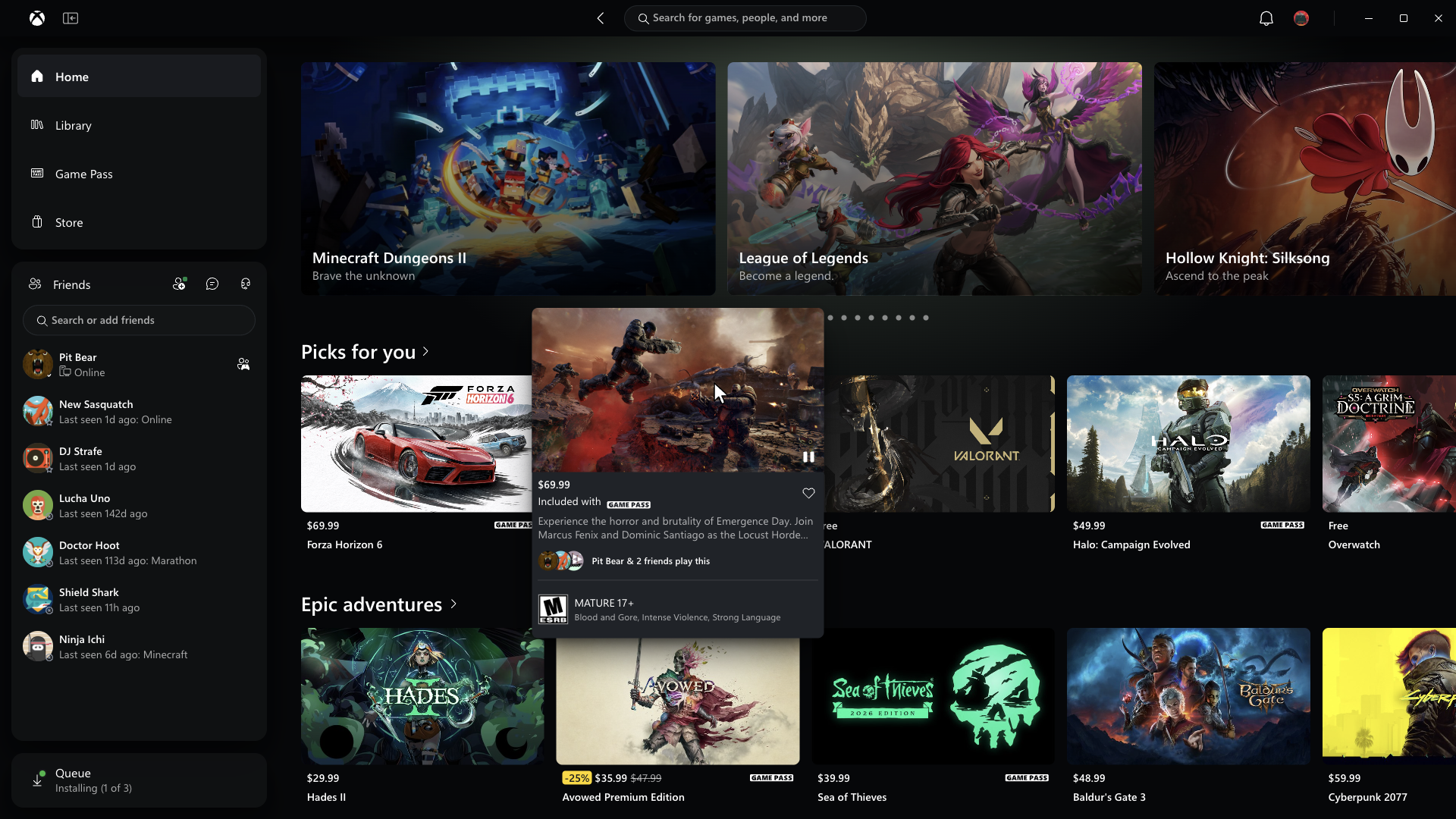
Social features are no longer tucked away. Friends now sit in the app's main navigation, so you can see what people are playing, start a chat or join a party without opening a separate panel. Microsoft's screenshots show the friends list docked permanently in the left-hand column, under the Home, Library, Game Pass and Store tabs.
Search has been widened too. A single search box now covers games, including titles you already have installed, plus add-ons and people. Before, those were spread across different parts of the app. Microsoft has also refreshed the game cards, the Home page, Settings and the animations, all to make the app easier to scan.
The cloud gaming website comes to everyone
Earlier this year, Xbox Insiders were invited to preview a redesigned version of Xbox cloud gaming in the browser. Over the coming weeks, that version will reach all players automatically. Anyone who wants it sooner can go to play.xbox.com now.
The biggest addition is a Library tab that gathers every game you can stream in one place, whether you own it or have access through a Game Pass subscription. You can sort and filter by recently played, genre and supported input methods. That last filter is useful when you are streaming on a laptop without a controller and want to see which games support mouse and keyboard or touch.
A new desktop mode makes better use of wide PC monitors and larger displays, so more games fit on screen at once. The site now offers both dark and light themes, plus five new high-contrast options, which Microsoft says are meant to support different visual needs and preferences.
TVs and VR headsets get the same look
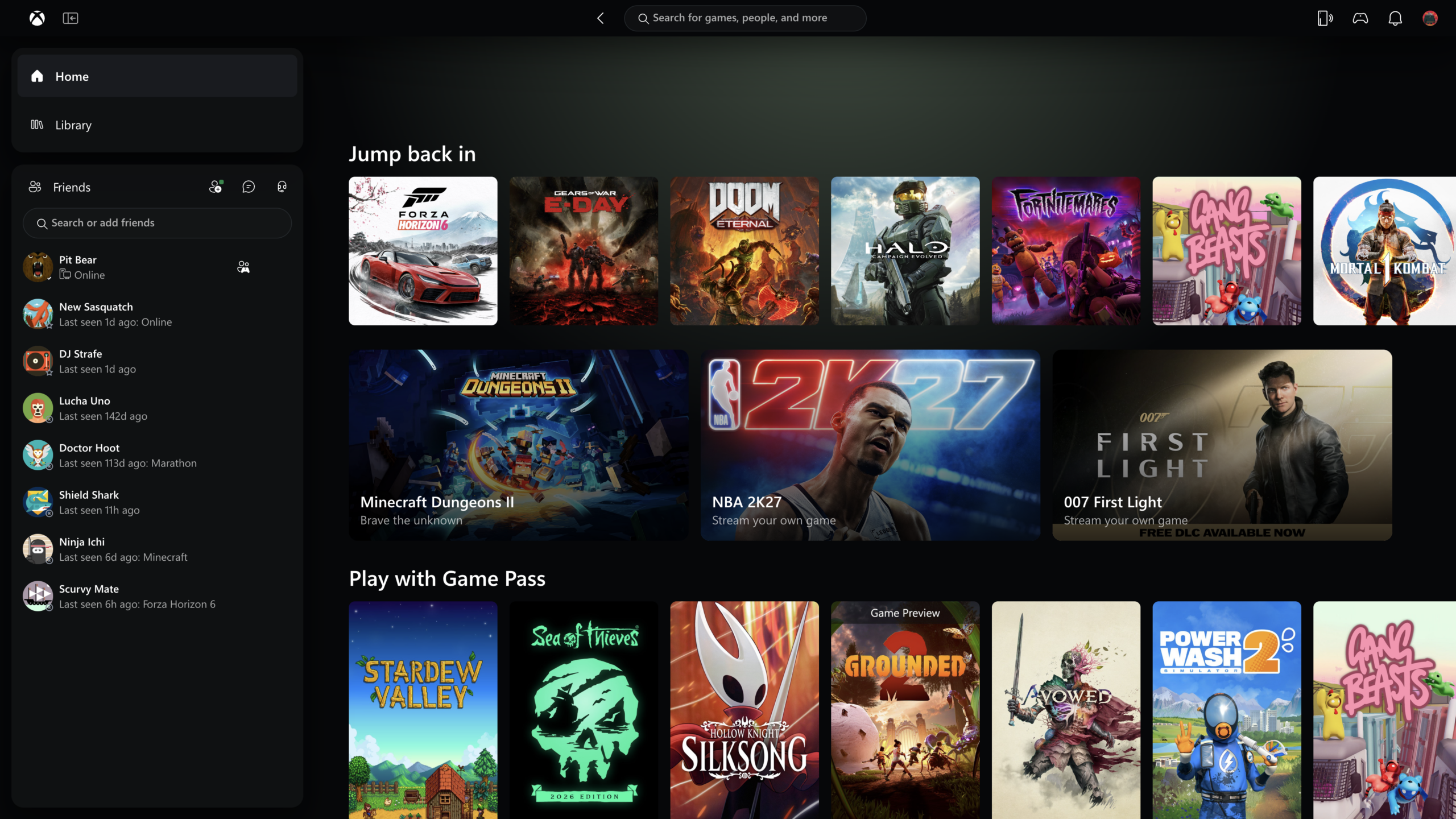
The final part of the update covers the Xbox cloud gaming apps on supported TVs and VR headsets, which are starting to get the same refreshed layout and navigation. Microsoft recognises that each screen needs its own approach. A headset is used very differently from a television or a desktop monitor. But it wants the basics to work the same way everywhere: finding your games, seeing what you can play and getting into a game quickly.
How to try it
The new PC app is only available through the Xbox Insider Program for now. To join, install the Xbox Insider Hub on Windows or on an Xbox Series X|S or Xbox One console, and sign up for the PC preview. Microsoft hasn't said when the update will reach everyone else. That usually depends on how the Insider rollout goes. The company is collecting feedback at aka.ms/XBOXplayervoice and supporting testers through the Xbox Insider subreddit.
The cloud gaming website doesn't need Insider membership. It will update on its own over the next few weeks, or you can open play.xbox.com today. The TV and VR app updates are rolling out gradually on supported devices.
Microsoft frames all of this as an early step rather than a finished overhaul, and it promises more changes driven by player feedback. For PC players who open the Xbox app only to launch a game, the update could make it start much faster. That depends on Microsoft's figures holding up outside its own tests.


